Unique Winter STEM Activities for the Classroom

Frame 2085668172

TinkRworks Team

11 min read
UNIQUE WINTER STEAM ACTIVITIES

The post-holiday stretch from January through March provides a prime window to re-energize hands-on learning across every grade level.

As educators navigate the long stretch between winter break and spring testing, keeping students engaged poses a recurring challenge. Recent educational technology benchmarks show over 78% of school districts prioritize integrated STEAM solutions during Q3 to combat mid-year learning loss and strengthen core problem-solving competencies.

Focusing on the post-holiday winter months (January through March), these six unique, high-impact STEM activities give PreK–8 classrooms ideal opportunities for hands-on discovery. 

1. Post-Holiday Snowball Catapult Challenge

Best For: Grades K–5

Core Concepts: Physics (Force & Motion), Trajectory, Levers, Iterative Design

When to Explore: January

Keep classroom momentum high immediately after December break with a budget-friendly engineering activity using simple, everyday materials.

How It Works:

  • The Challenge: Students design and assemble miniature catapults using craft items like popsicle sticks, rubber bands, and plastic spoons.

  • The Execution: Using lightweight cotton balls or foam craft balls as “snowballs,” student teams experiment with different stack heights (fulcrum positions), launch angles, and tension levels to analyze projectile distance.

  • Math Integration: Students measure launch distances across multiple trial runs, calculate class averages, and chart how structural changes alter trajectory.


2. Winter Light & Code: Smart Ambient Display Design

Best For: Grades 3–8

Core Concepts: Block-based / Python Coding, Circuits, Sensors, Light Waves, Graphic Design

Transition away from early-winter holiday crafts and shift student focus toward functional ambient lighting design using microcontrollers, LEDs, and physical computing.

How It Works:

  • The Challenge: Students design and program a smart lighting display (such as an animated geometric snowflake, a glowing desk lamp, or a temperature-sensitive light bar).

  • The Execution: Using platforms like TinkRworks’ Tech-A-Sketch or Smart Lamp projects, students write algorithms that control color outputs, sequencing, and ambient light triggers.

  • Real-World Connection: Relate this project to modern smart home automation and municipal lighting control systems, demonstrating how electrical engineering meets modern software design.


3. Thermos Engineering & Insulation Science

Best For: Grades K–5

Core Concepts: Heat Transfer (Conduction, Convection, Radiation), Thermodynamics, Data Collection

Take advantage of frigid January and February afternoons by turning a warm drink craving into an inquiry-based thermal energy experiment.

How It Works:

  • The Challenge: Task student teams with engineering a container that retains heat in 100ml of warm water for as long as possible using low-cost insulating materials (such as bubble wrap, felt, cardboard, or aluminum foil).

  • Data & Math Integration: Students record initial temperatures using digital probes, logging thermal changes at 2-minute intervals over a 20-minute window.

  • Analysis: Groups plot their cooling curves against standard math metrics to evaluate which material combinations offer optimal thermal resistance.


4. National Bird Feeding Month: Engineering Smart Bird Feeders

Best For: Grades K–6

Core Concepts: Life Science, Structural Engineering, Animal Adaptation, Data Logging

When to Explore: February

February is National Bird Feeding Month, making it the perfect opportunity to combine biology with hands-on structural engineering.

How It Works:

  • The Challenge: Students construct weather-resistant bird feeders designed to protect seed from rain and snow while remaining accessible to local winter bird species.

  • The Execution: Using recycled plastics, wooden dowels, or natural materials, students prototype feeder structures that feature perch balance points and seed-dispensing mechanisms.

  • Data Collection Extension: Students hang their prototypes near window views, logging wild bird visitors, species types, and feeding frequencies to connect directly to local ecosystem studies.

5. Late-Winter Sled & Slope Physics

Best For: Grades PreK–4

Core Concepts: Forces & Motion, Friction, Gravity, Iterative Design

Examine fundamental physics concepts through structured design constraints during peak winter months.

How It Works:

  • The Challenge: Student groups build miniature sled structures using craft materials (popsicle sticks, straws, index cards, pipe cleaners) capable of carrying a weighted payload down an inclined slope.

  • Testing & Iteration: Test various base materials (foil, wax paper, masking tape) to observe how surface texture influences kinetic friction.

  • Measurement: Students track travel distance and calculate velocity across multiple test runs to determine optimal design efficiency.


Coming in March 2027: Climate Cadet

As late winter transitions into spring, take environmental science and hands-on STEAM to the next level with Climate Cadet, the newest project addition to the TinkRworks ecosystem arriving in March 2027. Climate Cadet invites students to investigate climate dynamics, environmental data tracking, and sustainability engineering through interactive hardware and real-time sensor analytics. It is designed to plug directly into Q3 and Q4 science units, giving teachers a complete, ready-to-use curriculum that empowers students to act as environmental scientists solving authentic ecological challenges.


Why Hands-On STEAM Matters for Q3 Classrooms in 2027

Recent K–12 STEM implementation standards highlight three major priorities shaping elementary and middle school instruction in early 2027:

  1. Integrated Standards Alignment: Schools favor project-based learning (PBL) units that fulfill Next Generation Science Standards (NGSS) and CCSS Math requirements simultaneously.

  2. Collaborative Skill Building: Interactive engineering tasks encourage key social-emotional skills like team communication, systematic thinking, and iteration resiliency.

  3. Turnkey Physical Computing: Educators prefer complete, ready-to-teach STEAM platforms featuring integrated hardware, lesson plans, and built-in assessments to maximize instructional time.


Bring Turnkey STEAM Projects to Your School

Looking for ready-to-teach, project-based STEAM solutions that seamlessly combine coding, hardware, and creative arts?

Explore TinkRworks’ PreK–8 STEAM Curriculum to discover how our self-contained project kits and interactive teaching platform can transform your classroom throughout January, February, and March—and get ready for the launch of Climate Cadet this March!


Keep Reading

More from the blog

Unique Winter STEM Activities for the Classroom

TinkRworks Team The post-holiday stretch from January through March provides a prime window to

•

11 min read

The Ultimate STEM & STEAM Gift Guide for Kids: Hands-On Gifts That Make Learning Fun

The holidays are a great time to encourage a child’s natural curiosity. Whether they’re

•

6 min read

Monsters, Myths, and Machines: Bringing Halloween Storybooks to Life with K-2 STEAM

By October, students have settled into their new classrooms, and the novelty of a

•

6 min read
BACK-TO-SCHOOL STEAM Blog Image Header


Why Classroom Setup Matters in STEAM Education

A successful STEAM (Science, Technology, Engineering, Arts, and Math) program doesn’t just depend on lesson plans—it starts with your classroom environment. The way you design your space can directly impact student engagement, collaboration, and problem-solving.

Back-to-school season is the perfect time to rethink your STEAM classroom setup. A well-organized, flexible, and inspiring learning space helps you:

  • Lay a strong foundation for hands-on, project-based learning
  • Support different learning styles (visual, auditory, kinesthetic)
  • Encourage collaboration, creativity, and critical thinking

This guide shares practical STEAM classroom setup ideas—so you can start the year ready to inspire students and make learning unforgettable.


Back-to-School STEAM Classroom Setup Priorities

The physical space in which your students learn is very important. For visual learners, colorful posters and decorations can help illustrate concepts in a clear way. Students who learn best through reading can also benefit from educational posters. Kinesthetic learners, or students who learn best with a hands-on approach, might find that interactive modules or decorations in your classroom help them engage with STEAM concepts. The respective benefits of certain items to different types of learners is important to consider when designing your classroom setup.

You should also take a mental inventory of the space you have available to you. If you are permitted to do so, you may want to plan a setup for each of the following spaces.

  • Entrance (Door)
  • Inner (Layout)
  • Surroundings (Decorations)
 
STEAM Welcome Back Classroom Door Idea

The door to your classroom is the first thing that students will see upon entering. Therefore, this is your space to both introduce yourself as a teacher and to make a good first impression!

Make a big statement with a vibrant welcome back classroom door printable that will delight students and emphasize the importance of STEAM/STEAM learning. Click the button below to download the free Stellar STEAM Superheroes Classroom Door Decorations now!

STEM Classroom Decor STEAM Superheroes

5 Elements of Effective STEAM Classroom Design

An efficient STEAM curriculum typically involves lots of hands-on learning activities. In order for those to be productive, a classroom should be organized in a way that helps optimize the space. Elements of a high performing STEAM classroom include the following.

#1 Adaptable Classroom Layout

STEAM classrooms should facilitate active, project-based Learning. Creating an environment that is easily changeable to meet the needs of various STEAM projects involving different group sizes. The more fluid your learning space, the better. By shuffling desks, tables, and chairs, you can promote collaboration between students within groups. Creating a dedicated space for building and working in groups can aid in productive teamwork and group learning, something that is engaging and beneficial to students.

#2 Makerspace

A makerspace is a dedicated space in which students can test and practice STEAM concepts in the real world. Craft/office supplies, recycled materials, and objects collected from nature are all gathered into a makerspace to allow students the chance to build and experiment as they learn.

Makerspaces are important when teaching students the real-world applications of the concepts they learn in the classroom. By allowing students to take an active approach to STEAM, you can increase their understanding as well as their excitement for learning.

Your makerspace can be in a classroom corner, or a dedicated room of its own. If you have space for the supplies, some tables, and a few students, you have enough room to add a makerspace!

Check out our free makerspace library, TinkRpedia! The TinkRpedia Makerspace Lesson Library is a free collection of hands-on projects for students K-8.

#3 Flexible Furnishings

An adaptable classroom promotes mobility. Tables, desks, chairs, whiteboards should be easily moveable to configure a space that promotes collaboration. Filling a classroom with furniture that is lightweight, stackable, foldable, and/or on wheels allows for quick transitions between STEAM projects.

A large, open central space is also helpful when creating a flexible environment. Avoid over-filling your classroom with filing cabinets, bookcases, or any non-essential furniture. Maximizing the space you have makes it easier to do a variety of different hands-on STEAM projects within your classroom.

Of course, good organization can minimize the need for lots of storage space. Try to clear your room of items that do not directly contribute to your work or your students’ learning. This will also keep your space clean in the face of fun projects that may be messy!

#4 Technology

Regardless how tech-savvy you consider yourself to be, technology is your ally in creating a good STEAM learning environment. Making technology available to students can help keep them engaged while preparing them for a 21st Century workforce.

The back-to-school STEAM classroom should have:

  • Stable internet connection (the more technology your classroom has, the more important reliable networks will be!)
  • Plentiful electrical outlets
  • Retractable power reels
  • TVs/Displays
  • 3D Printers
  • Computers or Tablets
 
#5 Sustainability

Finally, a successful STEAM classroom should be an organized learning space that is good for students, educators, and the environment. Incorporating sustainable measures into your classroom layout is simple! Check out the suggestions below.

  • Utilize natural lighting to reduce energy usage
  • Use recycled or recyclable materials in projects
  • Stick to classroom decor that can be used year-to-year (or donate it to another educator when you are finished)
  • Embrace computers/devices to eliminate paper use
  • Use group projects (rather than individual projects) to limit the amount of physical materials needed for a lesson

Some sustainability methods will work better than others based on the layout of your building and your specific environmental factors. See what ideas other teachers in your area have to create a more sustainable classroom.

Surround Students with STEAM

Regardless of grade level, ALL students like a dynamic and visually interesting classroom. Here are some free STEAM printables that will educate, inspire, and encourage students!

STEAM Superheroes Posters

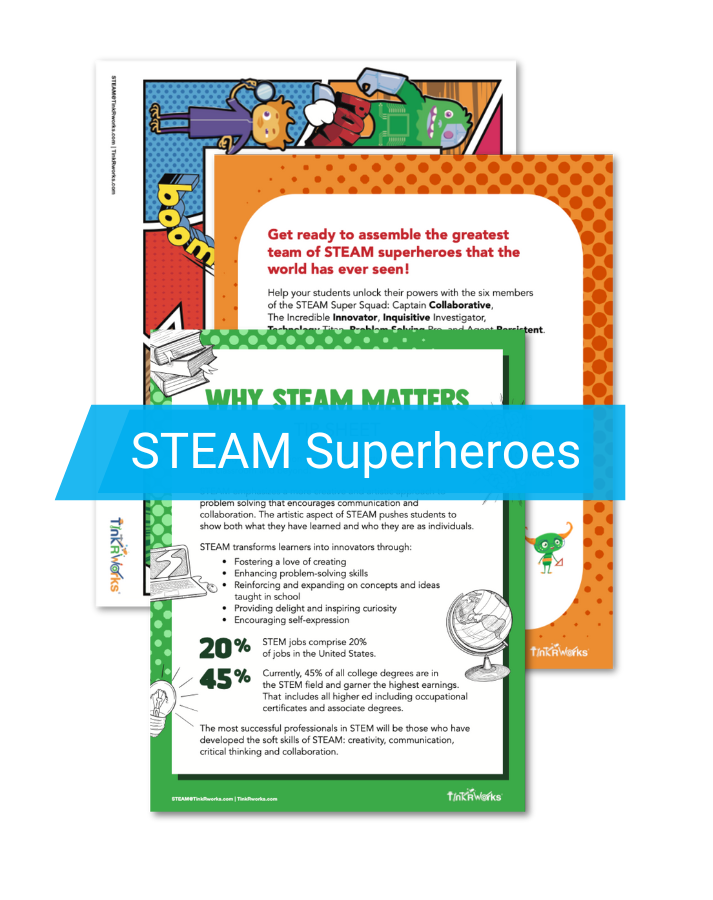
Teach your students the necessary skills that a STEAM Superhero possesses! Hang these posters in your classroom to showcase concepts like analytical thinking, productive struggle, teamwork, and innovation with the help of the Super STEAM Squad.

Design Engineering Process Visual

STEAM concepts go hand-in-hand with the Engineering Design Process (EDP), a pedagogical framework for solving tough questions. With the help of instructors, students can make significant STEAM learning gains by becoming familiar with the EDP process. As they develop their skills within the EDP framework, they will learn to approach problems as a problem-solver rather than simply as a listener.

Download our free The Road to STEAM Success: The Engineering Design Process Poster & Handout and hang it in your classroom so it’s easy to reference the entire school year.

Engineering Design Process STEM/STEAM Handout

In Conclusion

Your classroom environment is more than just décor—it’s a launchpad for innovation. By setting up your STEAM classroom with adaptability, collaboration, technology, and sustainability in mind, you give students the tools and mindset to thrive.

Start the school year strong by surrounding students with opportunities to tinker, build, and dream big. When you do, they’ll step into your classroom not just as learners—but as the next generation of STEAM innovators.

👉 Ready to take your STEAM classroom to the next level? Explore TinkRworks’ turnkey STEAM projects and free educator resources.